
Iframe에서 mousemove가 동작하지 않는 이슈
증상
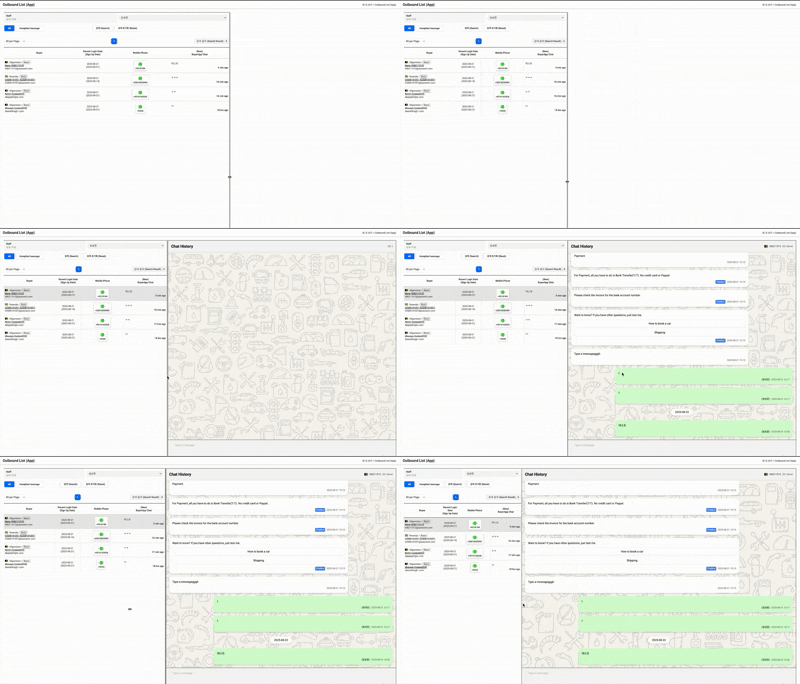
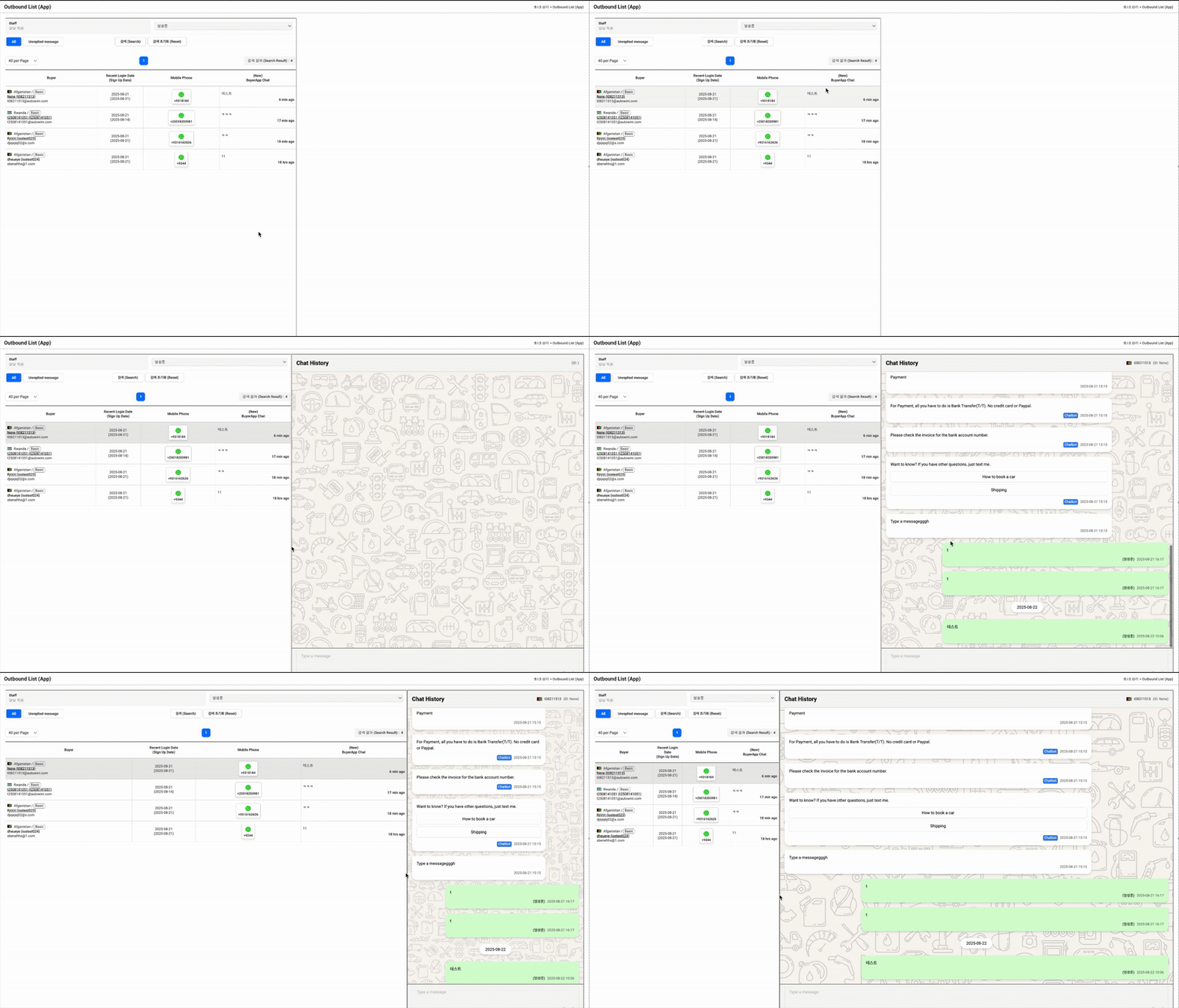
좌측 채팅 리스트 영역은 JSP로, 우측 채팅 입력 영역은 React로 구성되어 있었어요. 원래는 전체 페이지를 React로 통합하고 싶었지만 내부 사정으로 인해 우측 영역만 iframe 형태로 먼저 삽입하게 되었어요. 이후 가운데에 구분 바를 두고 width를 드래그로 조절하는 기능을 구현했는데, 드래그 도중 마우스가 iframe 위로 올라가면 더 이상 크기 조절이 되지 않는 문제가 발생했어요.
즉, mousedown → mousemove → mouseup 흐름에서 mousemove 이벤트가 iframe에 의해 끊겨버리는 상황이었어요.
첫 시도
기본적인 resize 로직은 아래와 같이 작성했었어요.
startResizing(event) {
  this.isResizing = true;
  this.initialX = event.clientX;
  const listContainer = document.querySelector('.listContainer');
  this.initialWidth = listContainer.offsetWidth;

  document.addEventListener('mousemove', this.resize);
  document.addEventListener('mouseup', this.stopResizing);
}
드래그 중 커서가 우측 채팅 입력 영역(iframe) 위로 올라갈 때만 이벤트가 끊기는지 확인하기 위해, JSP 쪽에 scroll 이벤트와 간단한 console.log를 추가해 브라우저 콘솔에서 이벤트 흐름을 직접 추적해봤어요.
그 과정을 통해 커서가 iframe 영역에 들어가는 순간 부모 문서에서 mousemove 이벤트가 더 이상 실행되지 않고, 대신 mouseup 이벤트가 바로 발생한다는 사실을 처음으로 확인했어요.
찾아낸 원인
문제의 원인을 찾아보니, iframe은 독립된 문서(document)라서 부모 문서의 이벤트 흐름을 가로막는다는 사실을 확인했어요.
그래서 마우스가 iframe 내부로 들어가면 부모 문서에서 등록한 mousemove 이벤트가 더 이상 실행되지 않았어요.
해결책
해결을 위해 드래그 시작 시 화면 전체를 덮는 투명 오버레이 레이어를 추가하는 방식을 적용했어요.
이 오버레이는 iframe 위에 덮이기 때문에 마우스가 어디로 이동하든 부모 문서의 이벤트가 끊기지 않게 만들 수 있었어요.
startResizing(event) {
  this.isResizing = true;
  this.initialX = event.clientX;
  const listContainer = document.querySelector('.listContainer');
  this.initialWidth = listContainer.offsetWidth;

  // 오버레이 추가
  this._overlay = document.createElement('div');
  Object.assign(this._overlay.style, {
    position: 'fixed',
    inset: '0',
    zIndex: '999999',
    cursor: 'ew-resize',
    background: 'transparent',
  });
  document.body.appendChild(this._overlay);

  document.addEventListener('mousemove', this.resize);
  document.addEventListener('mouseup', this.stopResizing);
}

resize(event) {
  if (this.isResizing) {
    const dx = event.clientX - this.initialX;
    const newWidth = this.initialWidth + dx;
    if (newWidth >= 460 && newWidth <= window.innerWidth - 800) {
      document.querySelector('.listContainer').style.width = `${newWidth}px`;
    }
  }
}

stopResizing() {
  this.isResizing = false;
  document.removeEventListener('mousemove', this.resize);
  document.removeEventListener('mouseup', this.stopResizing);

  if (this._overlay) {
    this._overlay.remove();
    this._overlay = null;
  }
}
이 방법으로 iframe이 있는 화면에서도 드래그 조절이 정상적으로 동작하게 되었어요.
재발 방지를 위한 대책
현재는 해당 페이지 전체를 React 기반으로 완전히 분리해 iframe을 제거했어요. 그 과정에서 iframe 때문에 필요했던 event 처리나 window.parent를 통한 보완 로직들도 모두 정리했어요. 이제는 동일한 유형의 이벤트 끊김 문제가 다시 발생하지 않도록 구조적으로 해결된 상태예요.